Language teachers
Material you already have becomes a week of listening practice in an afternoon: script, translation, narration, timing and split parts in one pass.
SCHOOLS · TUTORING · UNIVERSITY
Drop in up to five minutes of audio or video, or paste a text: it transcribes on this machine, splits the speech into sentences, translates into Chinese, English or Russian, narrates it, then exports five-minute MP3 parts with line-by-line lyrics — translated line first, original after, in whichever order you set. Nothing is uploaded.
Windows 10/11 & macOS 12+ · 1.7 GB of required models, installed once · Export with the network off
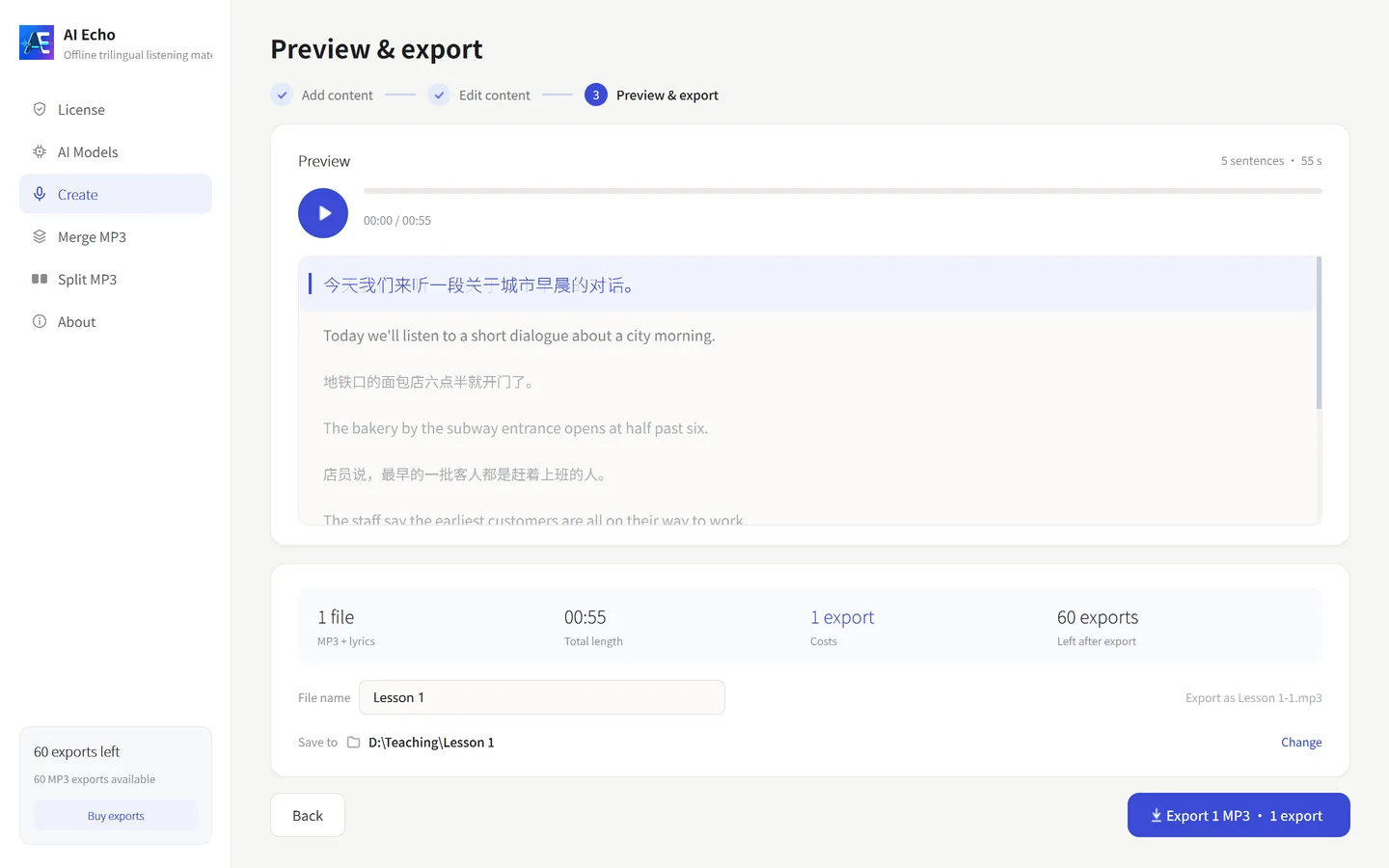
HOW IT WORKS
All three happen in the same app — and the three tabs in step two share one dataset, so nothing is redone when you switch.
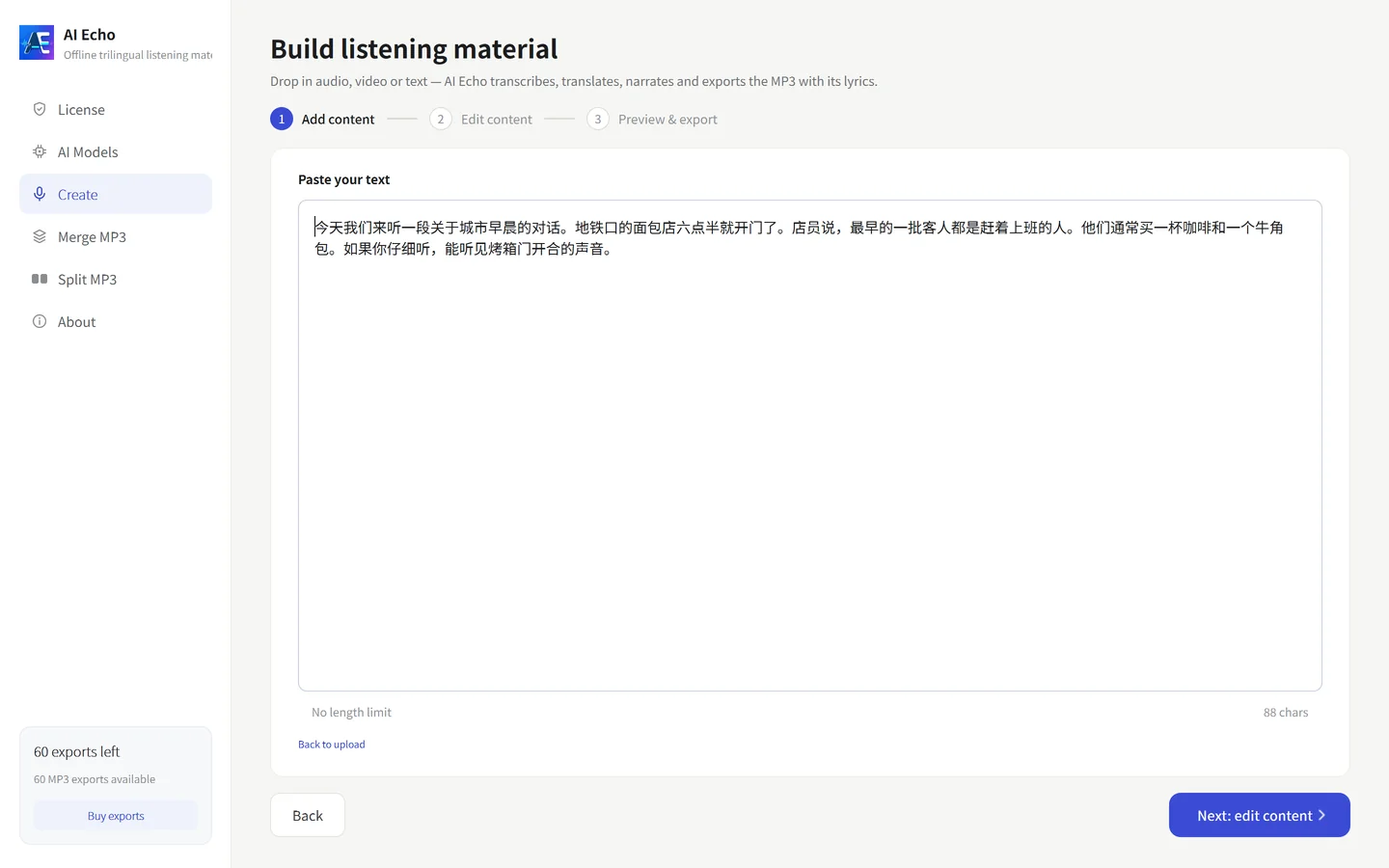
Drop in up to five minutes of audio or video, or paste text (no length limit). Speech is transcribed on this machine.
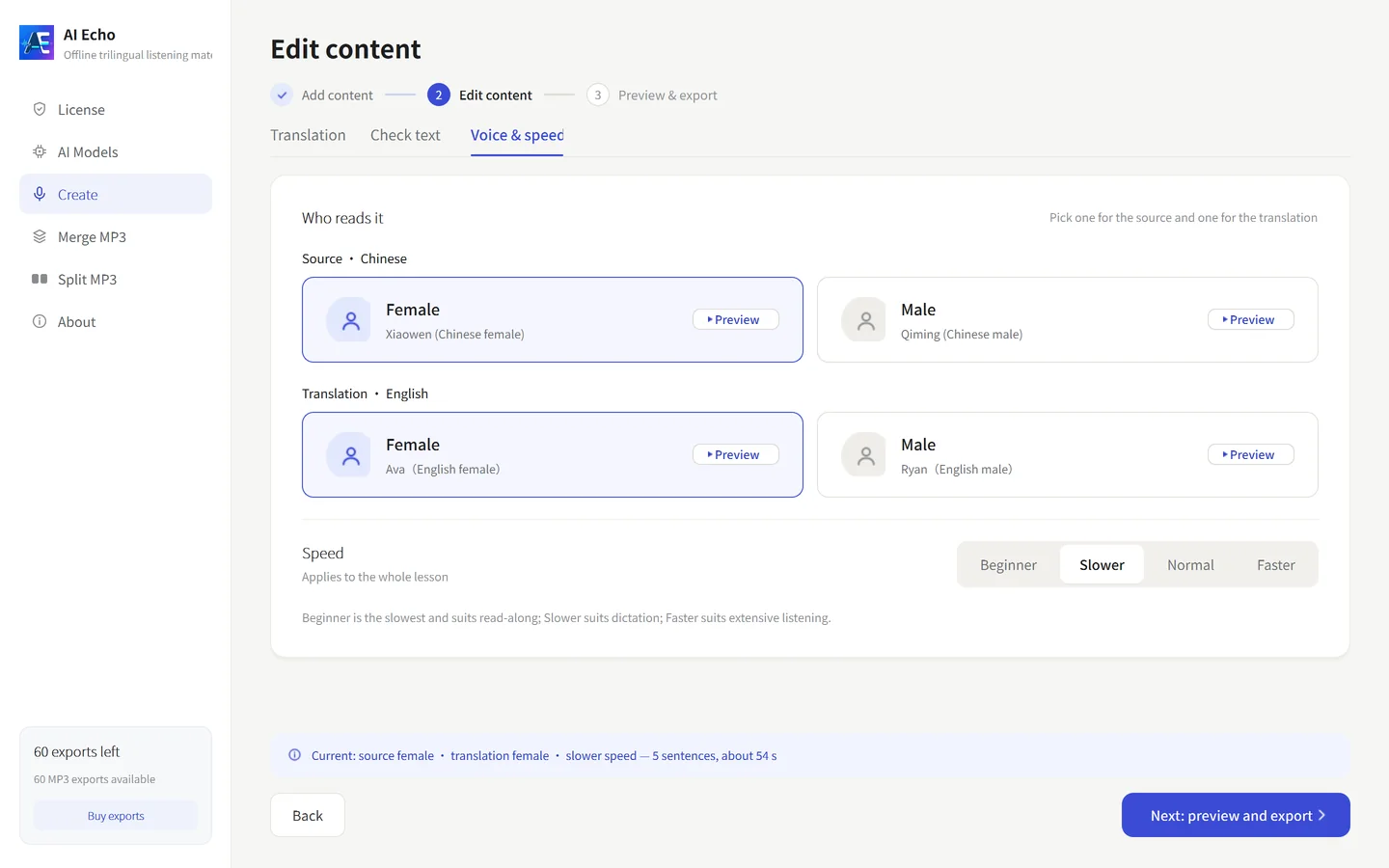
Translate, check the sentences, pick a voice and speed — three tabs over the same data: choose the target language, fix lines one by one, set voice and pacing.
Listen through with scrolling lyrics. Output becomes 1.mp3, 2.mp3… at five minutes, each with matching lyrics. One credit per MP3.
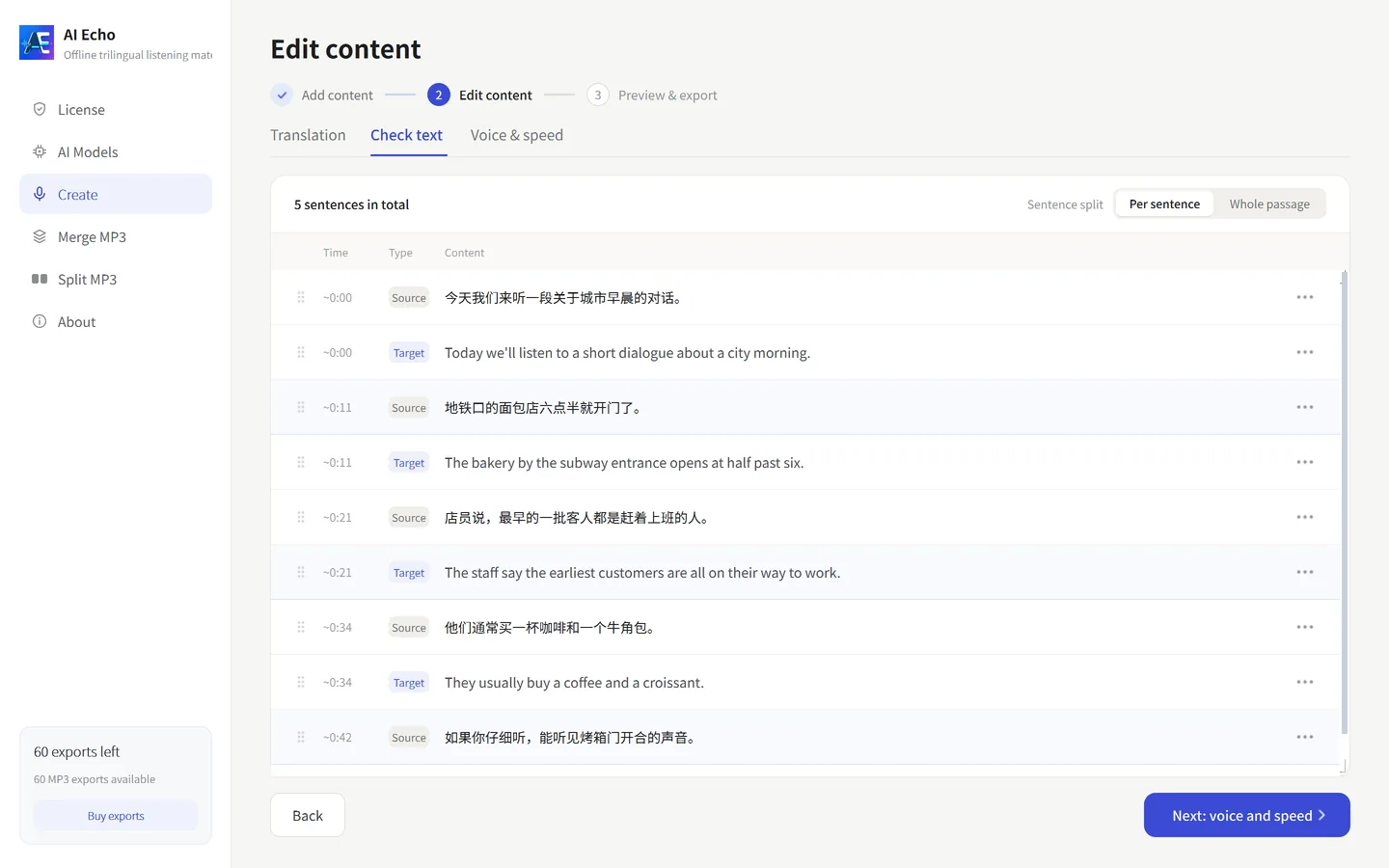
STEP 02 IN DETAIL
Source and translation sit side by side, and any line opens for editing; sentences split, merge or stay whole. The timeline is computed before export, so the subtitles and the audio always share it.
The export dialog lists the credits it costs and what is left; a failed or cancelled export is not charged.
THE APP
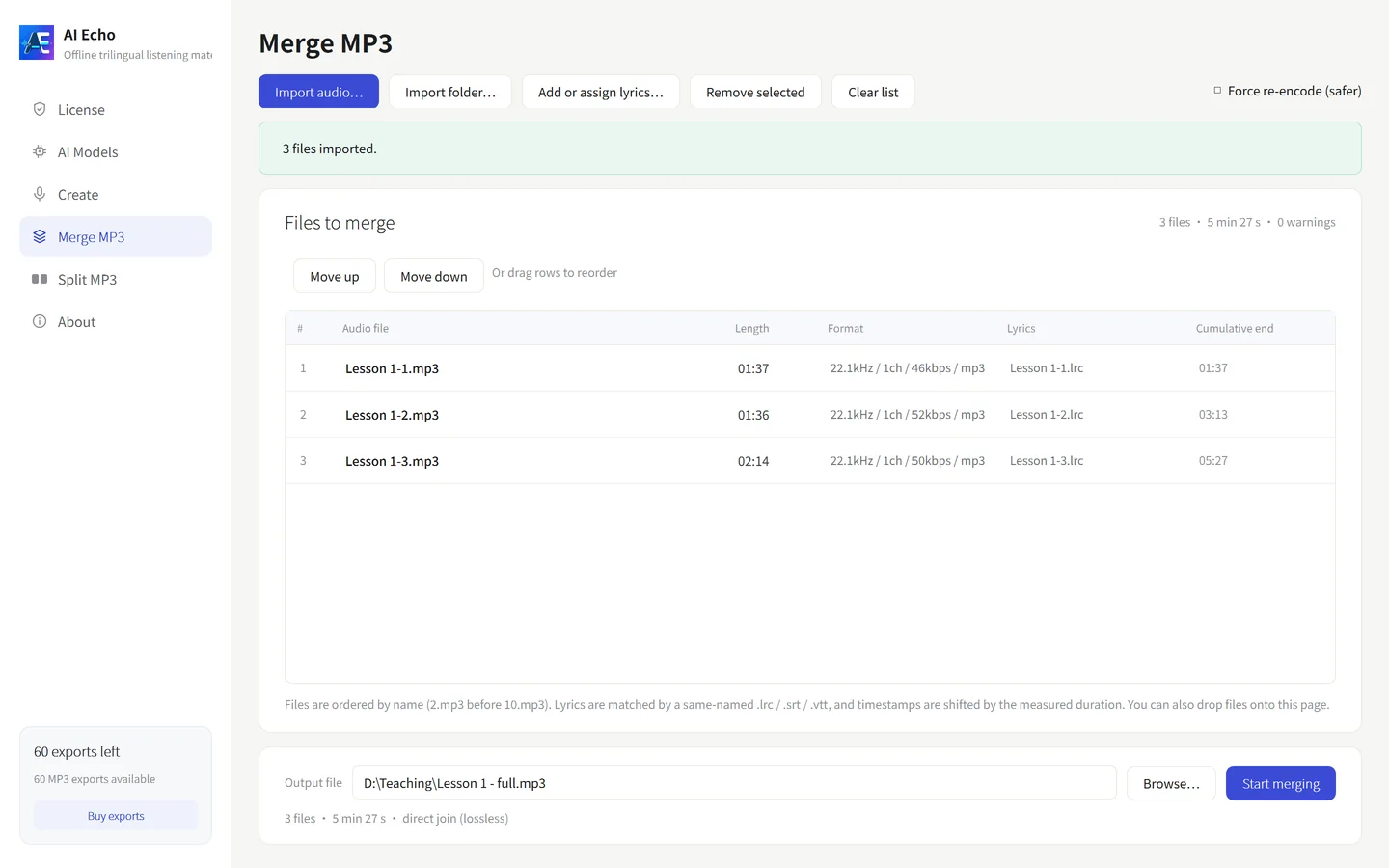
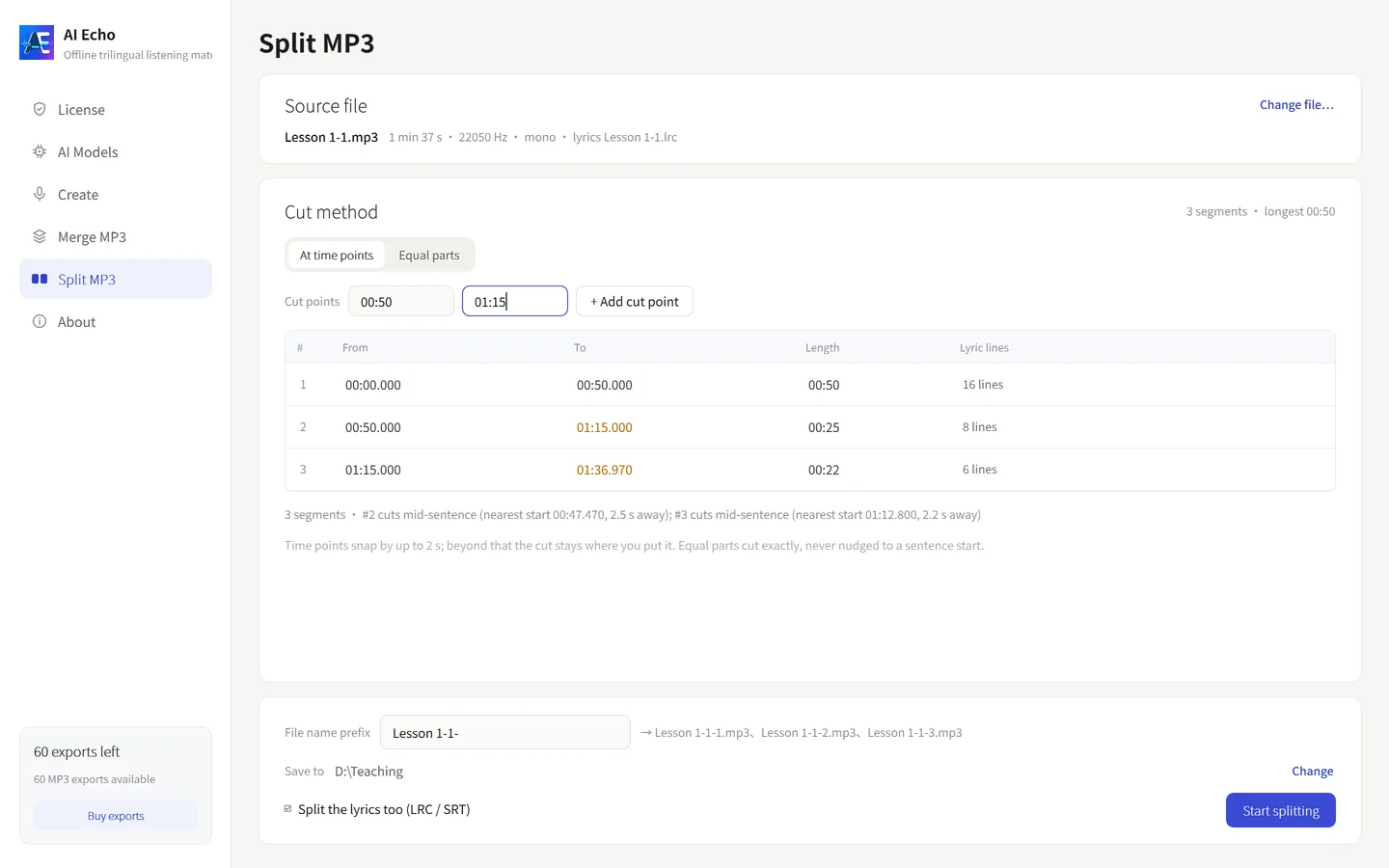
All three steps live in one window — no web dashboard, no plugin. The clip below is the app running, on a sample lesson.
WHAT IT DOES
Transcription, translation, narration, timing, splitting, subtitles, merging and cutting back — the work of four or five tools, in one place.
CREDITS
One exported MP3, one credit. Transcription, translation, previewing and re-editing cost nothing.
USE CASES
People who make listening material — and can't upload the source.
Material you already have becomes a week of listening practice in an afternoon: script, translation, narration, timing and split parts in one pass.
SCHOOLS · TUTORING · UNIVERSITY
Runs on the computers in the classroom or the lab. Nothing to whitelist, no student accounts to create.
LABS · INTRANET · CONFIDENTIAL
Turn your own study audio into bilingual subtitles, then work through it at the speed you actually follow.
INDEPENDENT · SELF-STUDY
PRICING
FROM $0.100 PER EXPORT · CREDITS NEVER EXPIRE
$0.200 / export
One lesson's worth, to run the whole flow on real material.
$0.167 / export
A term's worth, and the pack most teachers pick.
$0.100 / export
A department, or a year of publishing. Lowest unit price.
INCLUDED, FREE
A lesson arrives as numbered parts: the merge page drags them into order and returns one continuous MP3 with one merged lyrics file. The split page cuts one long recording by timestamp or evenly, and the lyric timeline follows the cut. Neither spends a credit.
PURCHASE & ACTIVATION
Credits are bound to the Machine Code of one computer. Buying a second pack for the same machine is fine — the credits add up.
Activation is checked by a local signature. The app never contacts a server to confirm your credits, and keeps working if this site is down.
Codes cannot move by themselves. Changed machines, reinstalled the system, or typed the Machine Code wrong? Ask for a replacement carrying the credits you had left.
REFUNDS & REPLACEMENTS
No. AI recognition, AI translation, narration, timing and export all run on this computer. The only two places the network is used: downloading a model you pick, and a version check you start yourself.
No, and there is nowhere for them to go. They stay in the folder you took them from.
Chinese, English and Russian, any pair, with one male and one female voice each.
Input audio and video are capped at five minutes: anything longer is refused outright, not auto-cut — trim it first, then use the merge page to put the lesson back together. Text has no limit, and is split into numbered parts at five minutes when you export, with the count shown beforehand.
Only exported MP3s. Subtitles, transcription, translation, previewing, re-editing, and the merge and split tools are free, and a failed or cancelled export is not charged.
No. They stay on the machine code you activated until you use them.
Yes. Use the free-trial link, tell us your name, email and occupation, and we email you how to start. The early steps are free anyway: importing, transcription, translation, previewing and re-editing cost no credits — only a finished MP3 does.
Request a free trialA few hundred megabytes for the app. The models download once from inside it: about 1.7 GB for AI speech recognition plus the Chinese and English voices, and 150–250 MB more for Russian if you use it.
Windows 10/11 (64-bit), or macOS 12 and newer with separate Apple silicon and Intel builds. 8 GB of RAM and four cores minimum; no GPU.
A code binds to one machine. Ask for a replacement after moving or reinstalling and the remaining credits come with it, free.
You do, and you are responsible for it. The app uploads nothing, distributes nothing and ships with no material of its own.
Yes. Ask within 7 days of the charge and it is approved, no reason required — unused credits come back in full.
Windows & macOS · Instant delivery by email · Credits don't expire · 7-day refund